歡迎您光臨深圳塔燈網絡科技有限公司!
 余先生:13699882642
余先生:13699882642
余先生:13699882642
發表日期:2018-11 文章編輯:小燈 瀏覽次數:4034
1. 新建一個xcode工程:FlutterNativeFrame
跟flutter在同級別路徑
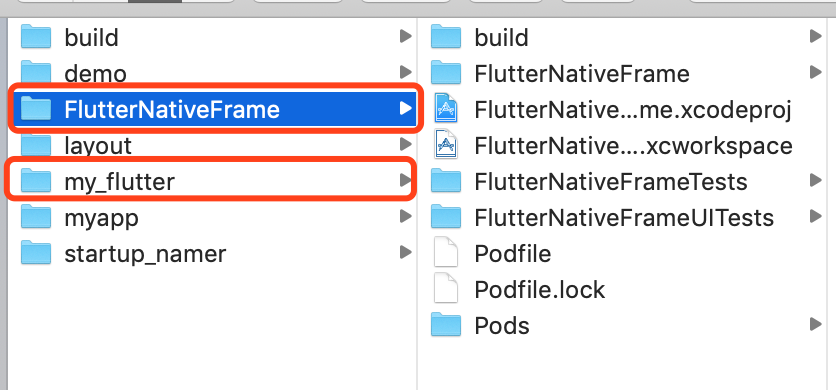 image.png
 2. binding flutter
// flutter_application_path:flutter工程的絕對路徑 flutter_application_path = '**/**/my_flutter' eval(File.read(File.join(flutter_application_path, '.ios', 'Flutter', 'podhelper.rb')), binding) 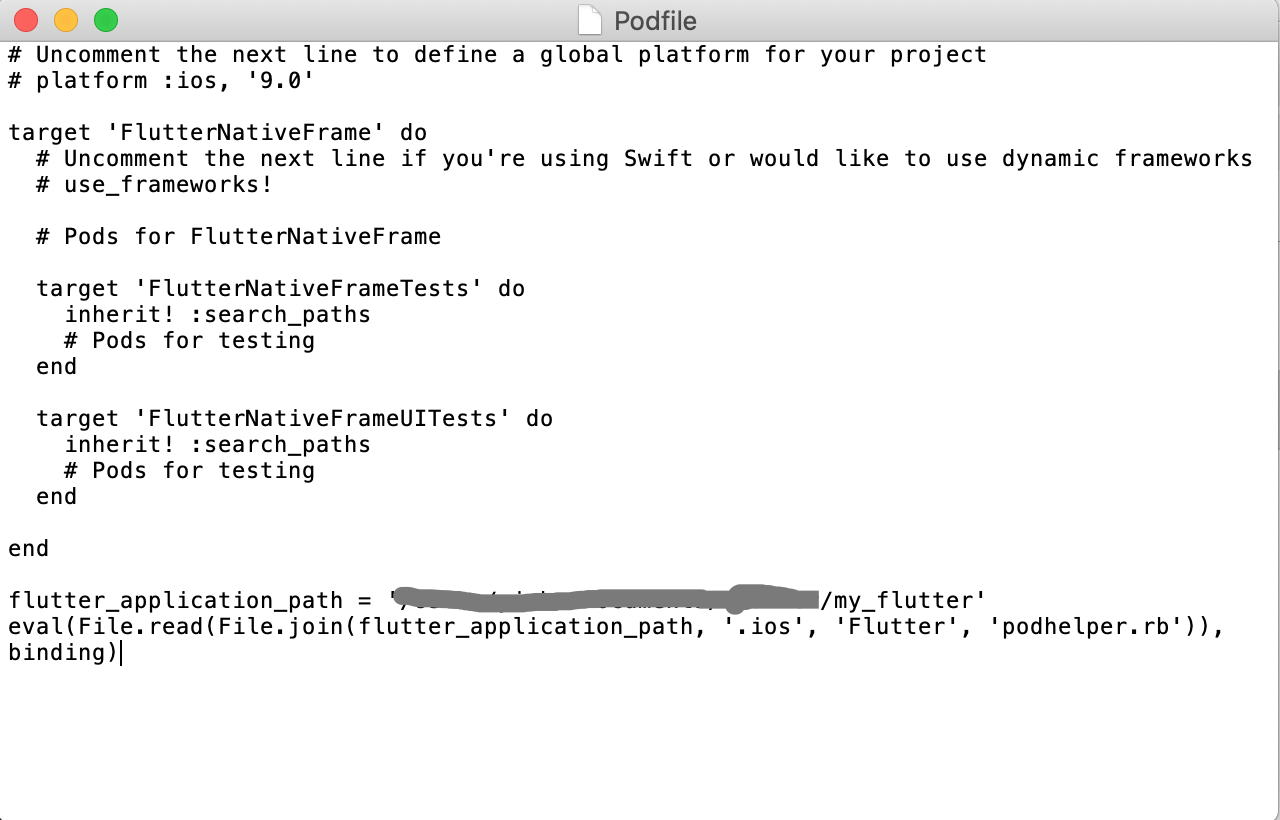 image.png
3.執行pod install
執行完之后,打開xcode工程,出現如圖所示的兩個文件夾,success
 image.png
 4. 添加腳本文件
"$FLUTTER_ROOT/packages/flutter_tools/bin/xcode_backend.sh" build "$FLUTTER_ROOT/packages/flutter_tools/bin/xcode_backend.sh" embed
 image.png
 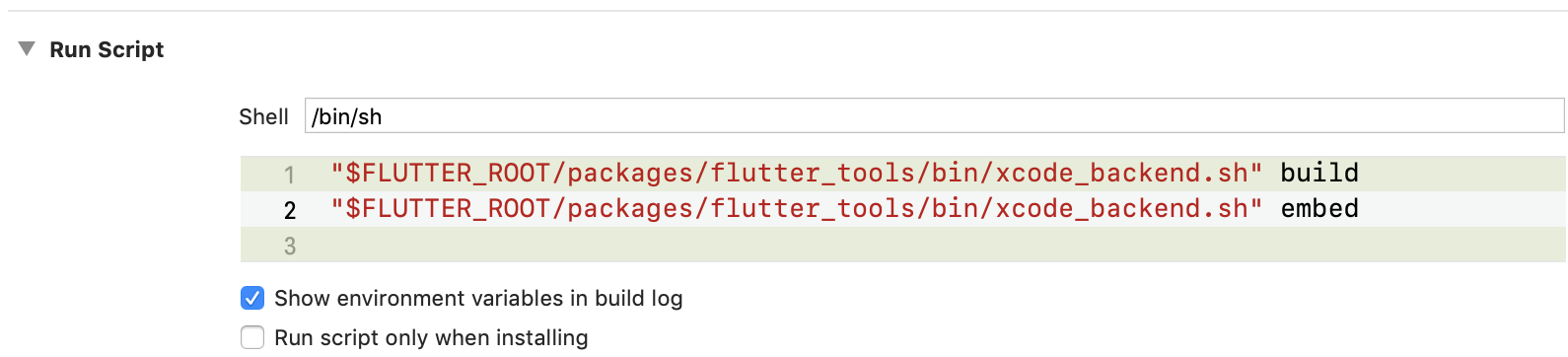 image.png
ok,run,如果運行報錯,把Enable Bitcode 設為NO,Flutter混合開發還不支持bit code,所以在iOS工程檢查項目并關閉bit code
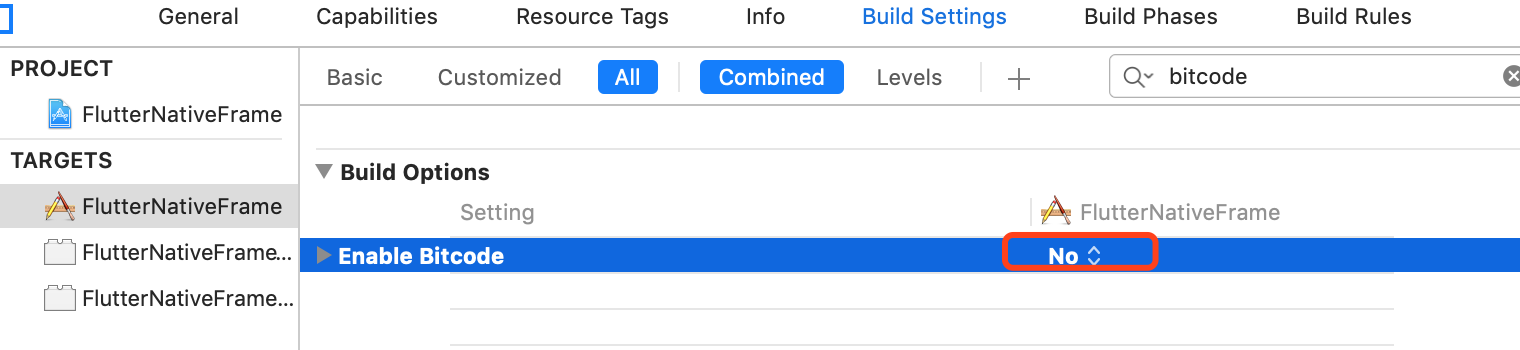 image.png
 現在應該可以運行起來了,如果還是不行,重復以上步驟
混編開始:
修改AppDelegate.h、AppDelegate.m
// .h #import <UIKit/UIKit.h> #import <Flutter/Flutter.h>@interface AppDelegate : FlutterAppDelegate @end// .m #import <FlutterPluginRegistrant/GeneratedPluginRegistrant.h> // Only if you have Flutter Plugins#include "AppDelegate.h"@implementation AppDelegate// This override can be omitted if you do not have any Flutter Plugins. - (BOOL)application:(UIApplication *)application didFinishLaunchingWithOptions:(NSDictionary *)launchOptions { [GeneratedPluginRegistrant registerWithRegistry:self]; return [super application:application didFinishLaunchingWithOptions:launchOptions]; }@end ViewController跳轉
#import <Flutter/Flutter.h> #import "ViewController.h"@implementation ViewController - (void)viewDidLoad { [super viewDidLoad]; UIButton *button = [UIButton buttonWithType:UIButtonTypeCustom]; [button addTarget:selfaction:@selector(handleButtonAction)forControlEvents:UIControlEventTouchUpInside]; [button setTitle:@"Press me" forState:UIControlStateNormal]; [button setBackgroundColor:[UIColor blueColor]]; button.frame = CGRectMake(80.0, 210.0, 160.0, 40.0); [self.view addSubview:button]; }- (void)handleButtonAction { FlutterViewController* flutterViewController = [[FlutterViewController alloc] init]; [self presentViewController:flutterViewController animated:false completion:nil]; } @end cd到flutter工程路徑,執行flutter attach
attach成功之后,運行xcode,更新直接press 'r'
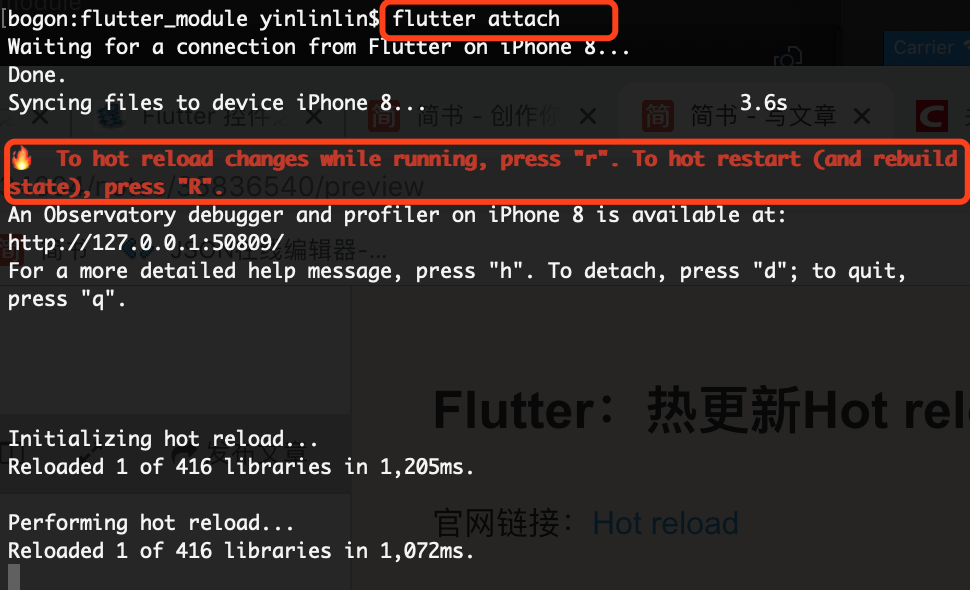 image.png
 在VStudio中修改dart文件,press 'r'直接可以看到修改之后的顯示
官網鏈接:Hot reload https://flutter.io/docs/development/tools/hot-reload


 企業建站知識
 推廣知識
推廣知識 小程序
小程序 微信營銷
微信營銷 APP開發
APP開發