歡迎您光臨深圳塔燈網(wǎng)絡(luò)科技有限公司!
 余先生:13699882642
余先生:13699882642

8年
專注物流供應(yīng)鏈系統(tǒng)
余先生:13699882642
發(fā)表日期:2019-03 文章編輯:小燈 瀏覽次數(shù):4232
各種語言都有自己的編碼,他們的字節(jié)數(shù)是不一樣的,mbstring擴展就是為確保不同編碼的語言在PHP程序中能夠正常顯示提供解決方案。
1.運行phpMyAdmin時發(fā)現(xiàn)如下錯誤:
The mbstring PHP extension was not found and you seem to be using a multibyte charset. Without the mbstring extension phpMyAdmin is unable to split strings correctly and it may result in unexpected results.
2.在項目應(yīng)用使用過程中,或提示下面錯誤:
Uncaught Error: Call to undefined function mb_strlen();
出現(xiàn)如上錯誤,是因為我們沒有安裝PHP的mbstring擴展所致。
php安裝包目錄:/data/php5.6.14/
PHP安裝路徑:/usr/local/php/
(下面步驟中的具體路徑設(shè)置,大家根據(jù)自己的實際情況設(shè)置即可。)
在PHP安裝包中找到mbstring擴展目錄
cd /data/php5.6.14/ext/mbstring/
運行phpize
/usr/local/php/bin/phpize
編譯安裝:
./configure --with-php-config=/usr/local/php/bin/php-config
make && make install
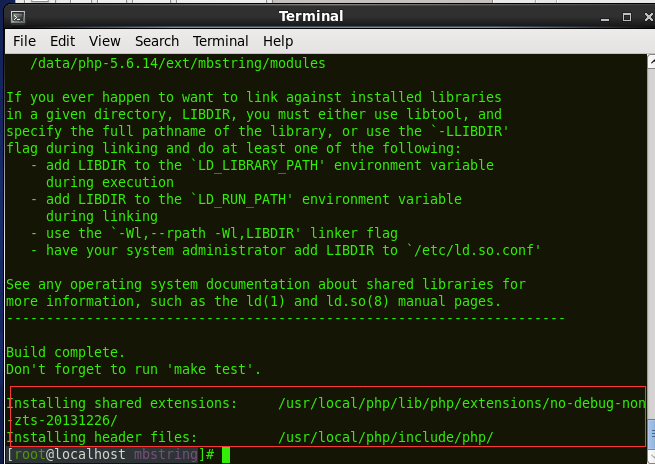
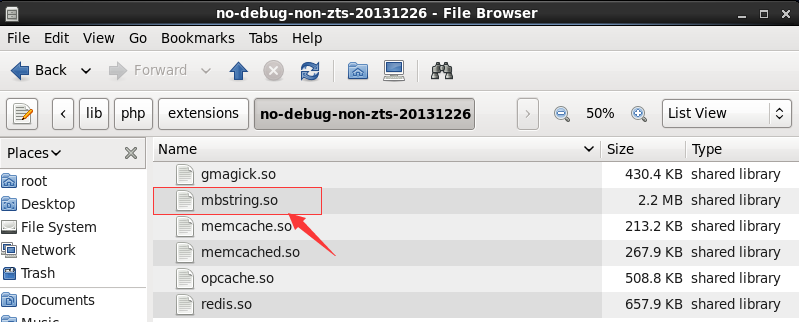
這時候mbstring.so就已經(jīng)在/usr/local/php/lib/php/extensions/no-debug-non-zts-20131226/目錄下生成了
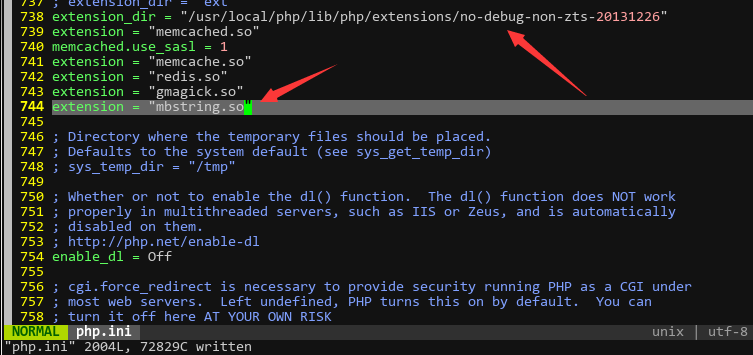
設(shè)置PHP配置文件php.ini,添加下面一行
extension=mbstring.so
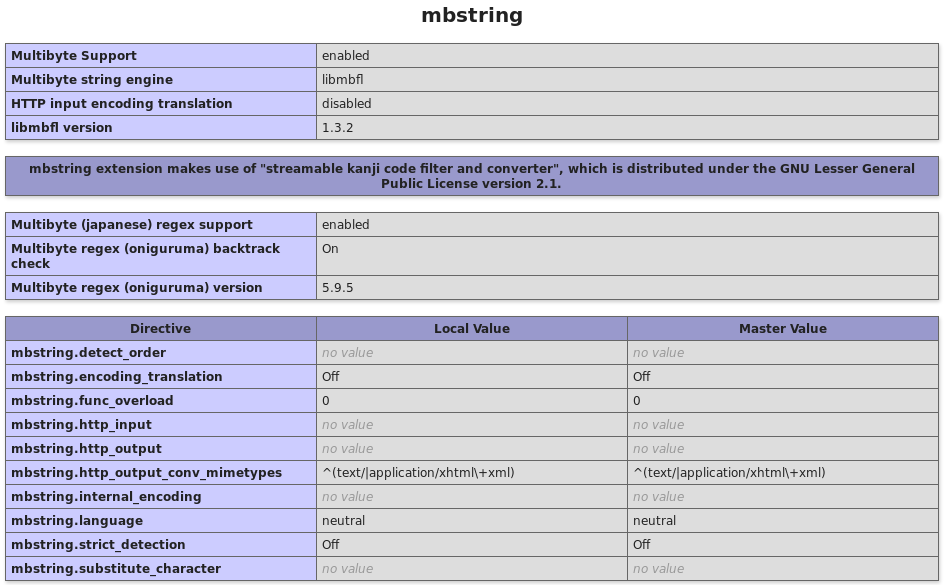
最后重啟服務(wù),使用phpinfo()查看mbstring擴展是否安裝成功。
sudo apt-get install php5.6-mbstring
在配置文件中添加一行:
extension=php5.6-mbstring.so
最后重啟服務(wù)即可。
修改php.ini
將下面內(nèi)容前面的分號去掉,如果沒有這一行,直接加入一行extension=php_mbstring.dll
;extension=php_mbstring.dll
如果上述修改重啟web服務(wù)器后沒效果,請把 PHP擴展文件夾下的 php_mbstring.dll 復(fù)制到系統(tǒng) C:\WINDOWS\system32 文件夾下
最后重啟服務(wù)即可。

 企業(yè)建站知識
 推廣知識
推廣知識 小程序
小程序 微信營銷
微信營銷 APP開發(fā)